
Run the client relationship end to end.
From first intake to the annual review: CRM, comprehensive needs analysis, client 360, meeting mode, and a client portal that keeps every household engaged between meetings.
Inside the product
Actual Ebix Meridian screens: the cockpit, the analysis, and the meeting itself.
The Client 360 cockpit
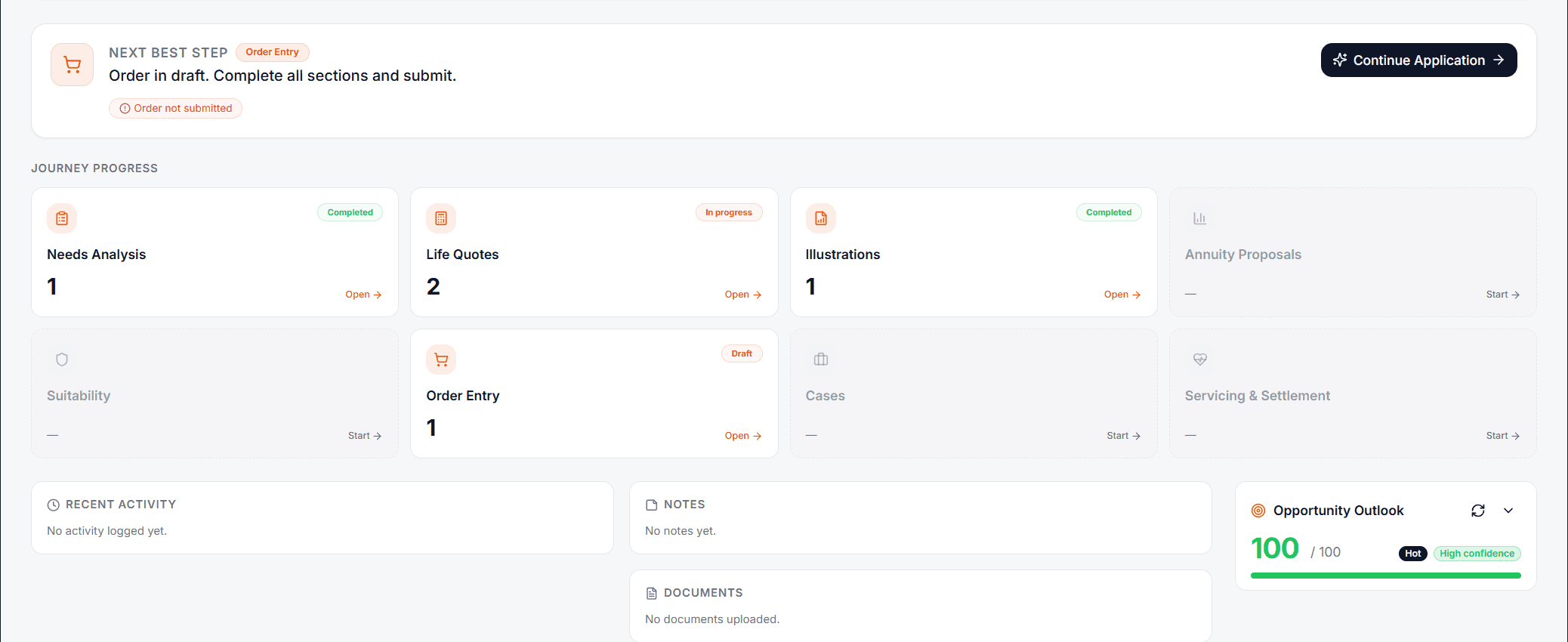
Needs analysis, quotes, illustrations, proposals, suitability, order entry, and settlement. Each stage is tracked with a next best step, opportunity outlook, notes, and documents on a single client screen.
- Journey progress from intake to settlement
- Next-best-step guidance with draft alerts
- Opportunity outlook scoring per client
Needs analysis with scenario comparison
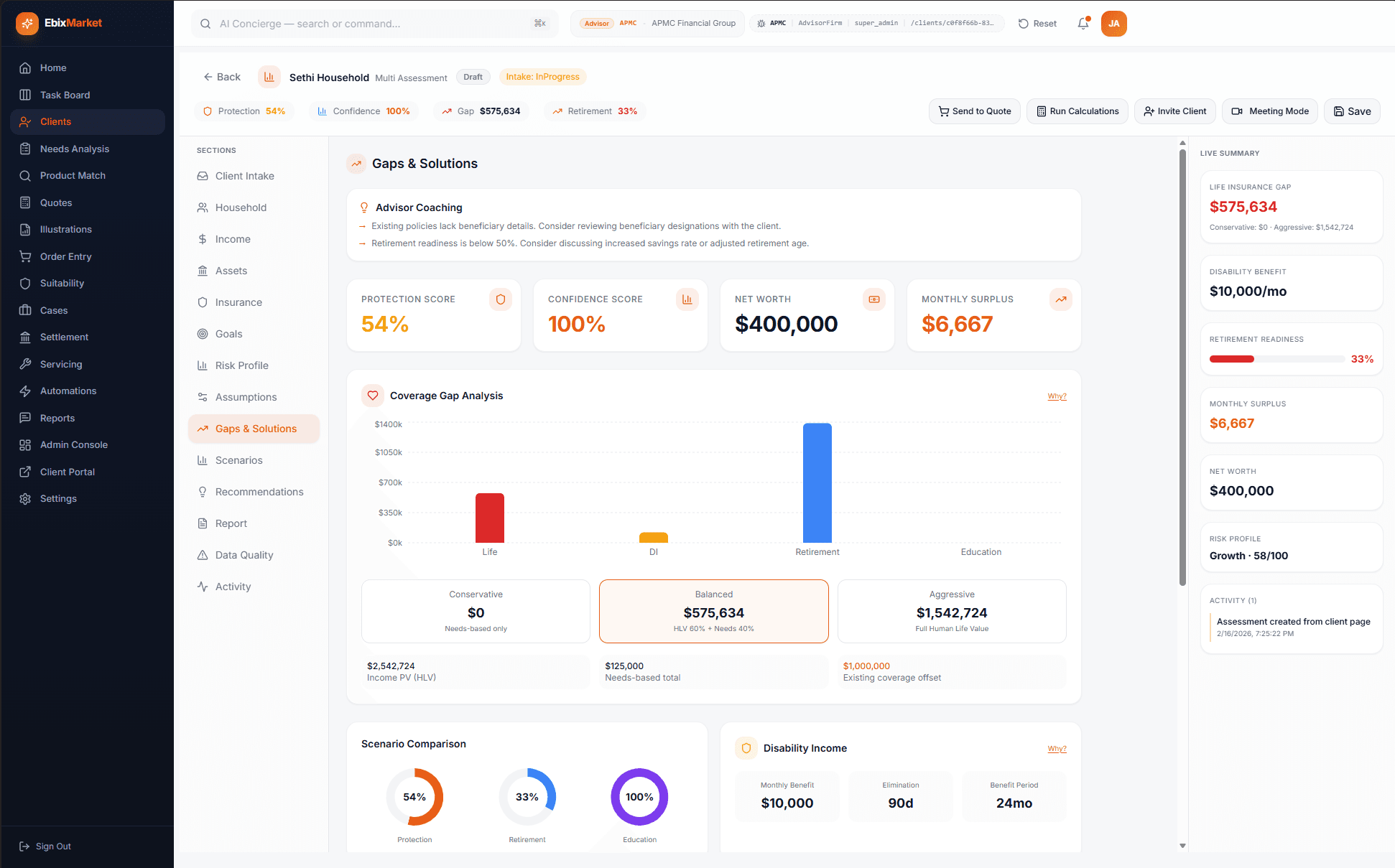
Protection score, confidence score, net worth, and monthly surplus on one screen, with coverage gap analysis across life, disability, retirement, and education, three-scenario comparison, and advisor coaching prompts.
- Conservative, balanced, and aggressive scenarios
- Human-life-value and needs-based methods side by side
- Live summary: gaps, readiness, and risk profile
Meeting Mode presentations
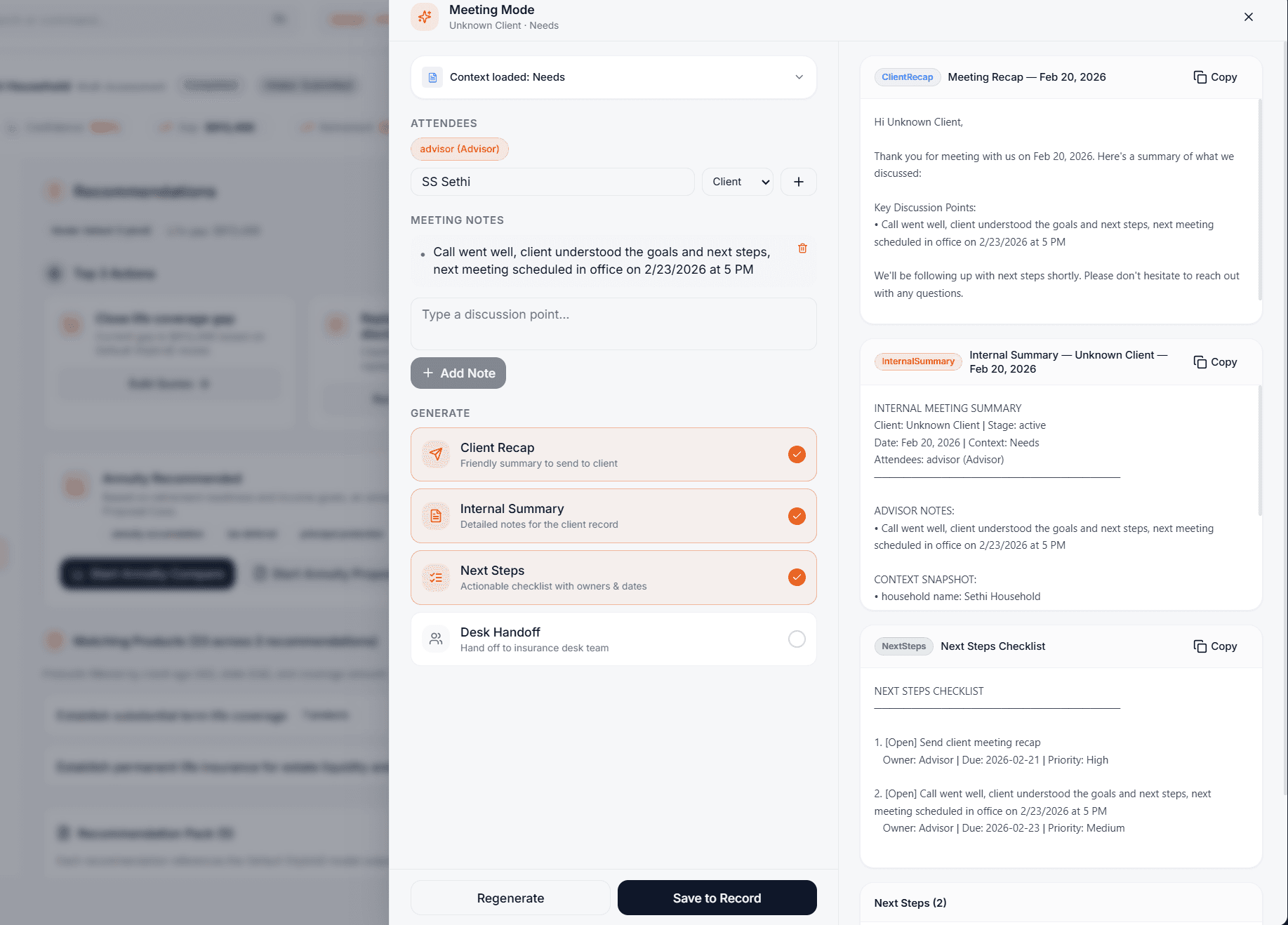
One click turns the analysis into a client-facing presentation, so you can walk the household through their gaps, scenarios, and recommendations without ever leaving the platform.
The client portal
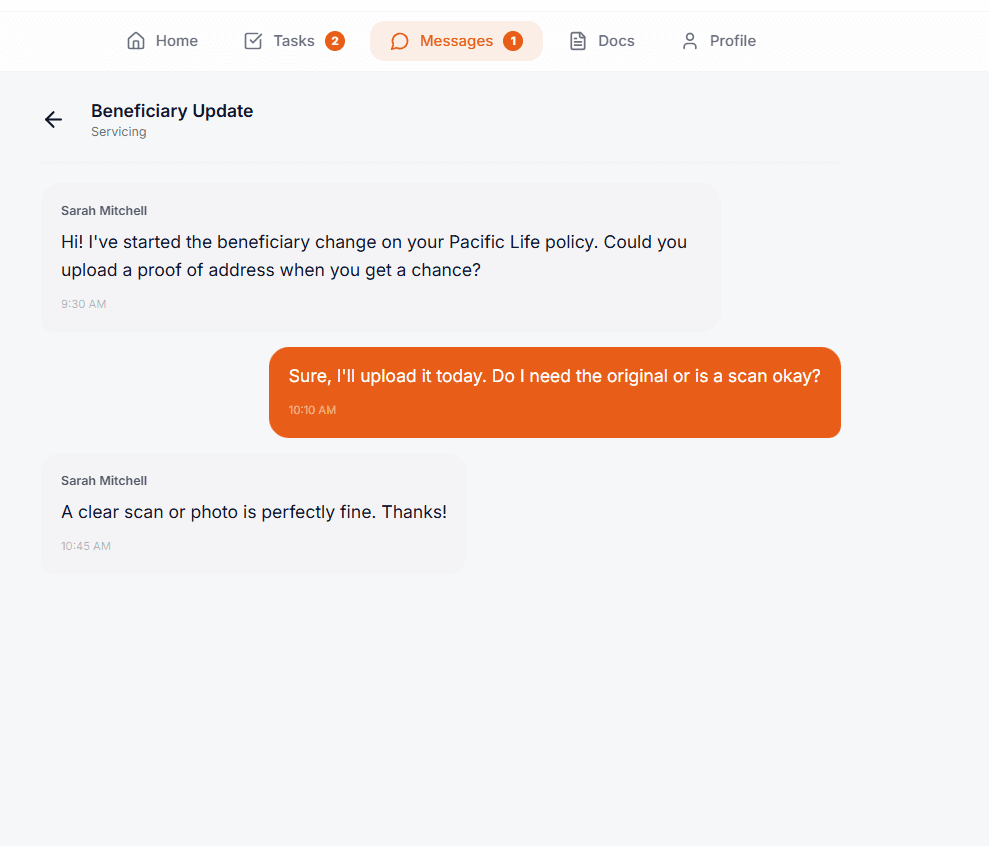
Every household gets a portal with their goals, coverage, documents, and progress, under your firm's brand, kept current between meetings.
Search and conversational analytics
A command bar and conversational analytics across the whole book: find a client, run a comparison, or ask a question in plain English and get an answer drawn from your own data.
- Command bar with search and actions (⌘K)
- Conversational analytics over the book of business
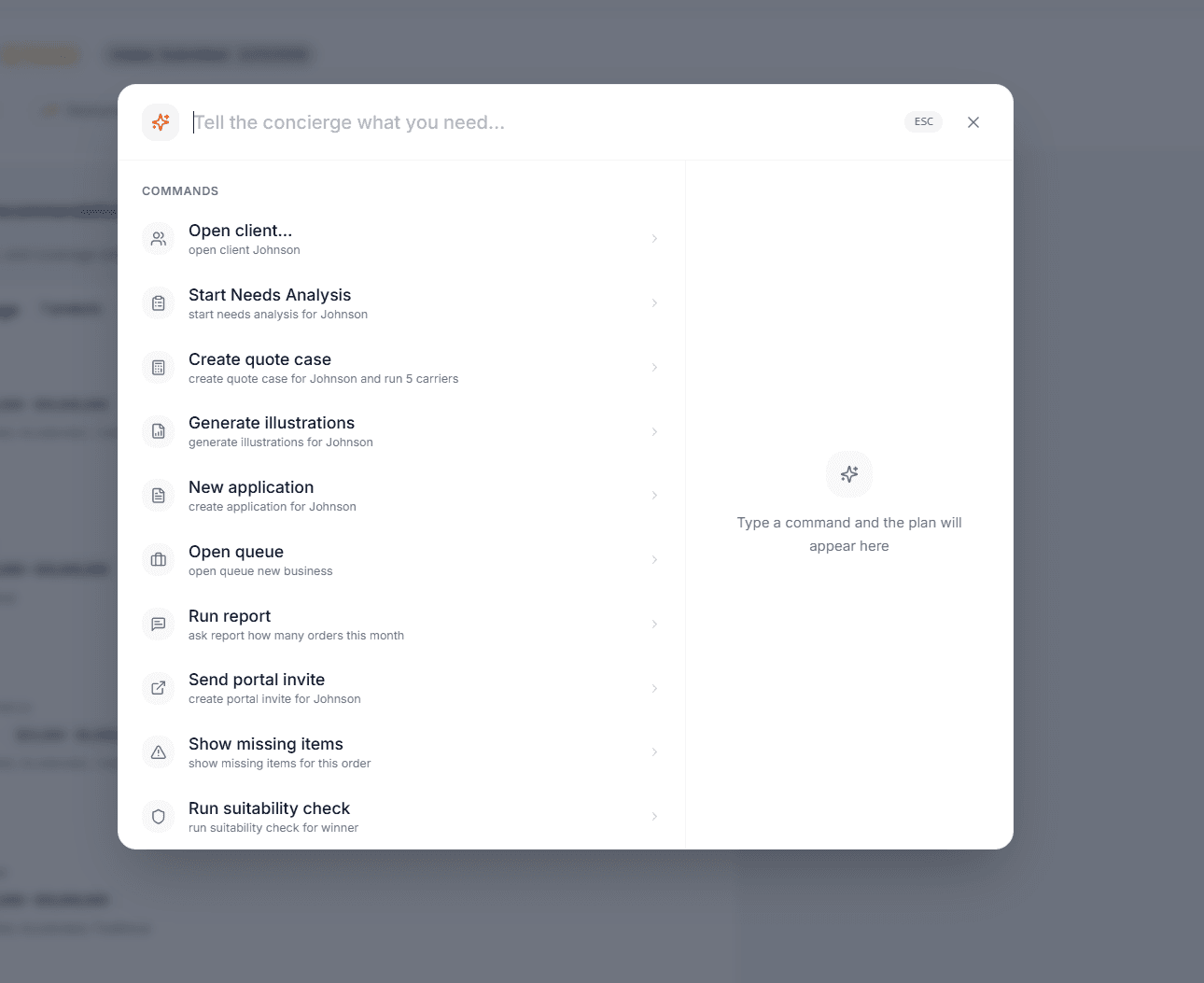
Actual product screens, shown as configured for APMC Financial Group, an advisory firm running on Ebix Meridian. Your firm gets the same platform under your own brand.