
Fund transaction tracking and reconciliation.
Commitments, capital calls, contributions returned, and distributions, recorded on governed masters with full audit trails, tax document automation, and reporting at every stage of the lifecycle.
Transactions in the product
Capital calls, distributions, and investor-facing tracking, captured on governed forms with status, payment method, and audit fields built in.
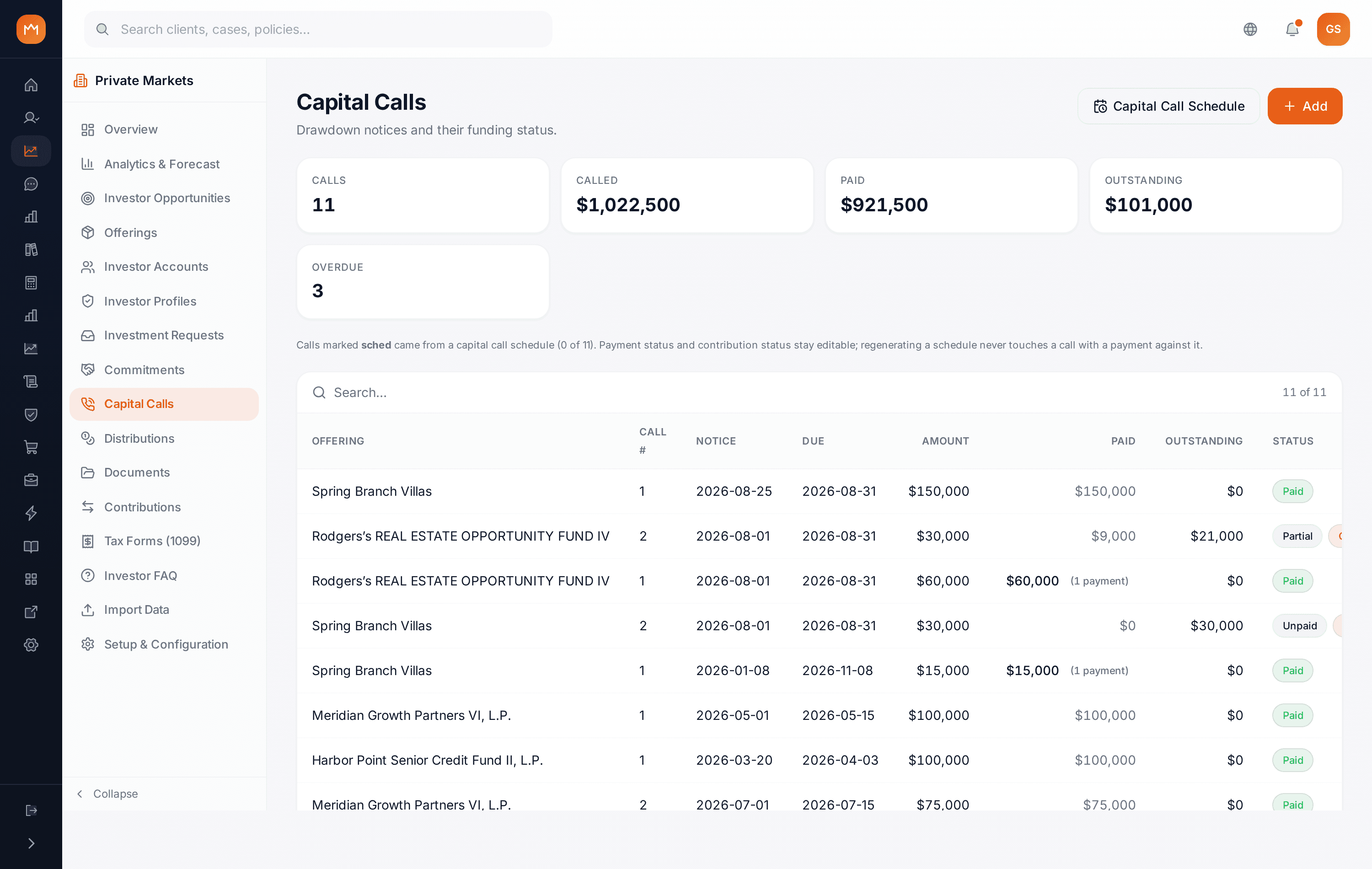
Capital calls tracked against commitments
Call percentage, amount, notice and due dates, payment method and status, amount paid, outstanding balance, and capital returned, all on one fully reconciled form.
- Call code ties the call to the offering
- ACH payment method and paid status tracked
- Contribution status including returns
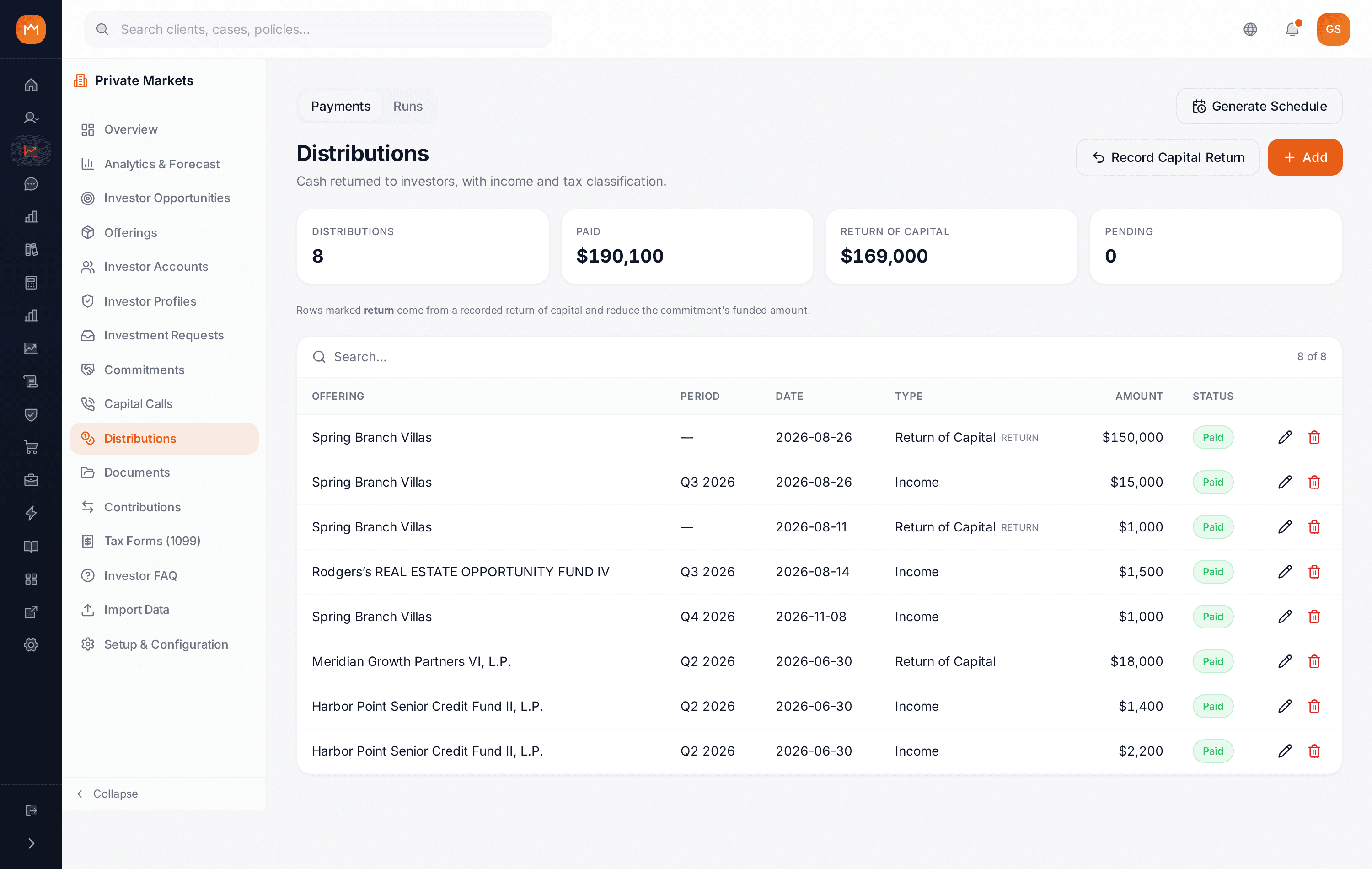
Distribution events with income typing
Each distribution carries amount, date, distribution type, income type (K-1 or 1099), payment method, settlement status, and a memo. Transaction data feeds tax document preparation and portal delivery, so tax season starts from clean records.
- Income vs. return-of-capital distribution types
- 1099 and K-1 income classification
- Settled status with payment method
Called, paid, and outstanding balances
Investors and advisors see total called, total paid, and outstanding balance per offering with call percentage and status. It is the same governed record the Fund Manager works from.
- Capital calls tab on My Investments
- Per-offering call detail with dates and notes
- Year and status filters

Actual product screens, shown as configured and white-labeled for RedGram Wealth Management, an investment advisory firm running on Ebix Meridian. Your firm gets the same portal under your own brand.